Commercial Refrigeration • 6 minutes
Walk-In Cooler Temperature Logs: What Restaurant Operators Need to Monitor
By Scott Camire, Owner | A/C Advantage Inc. •
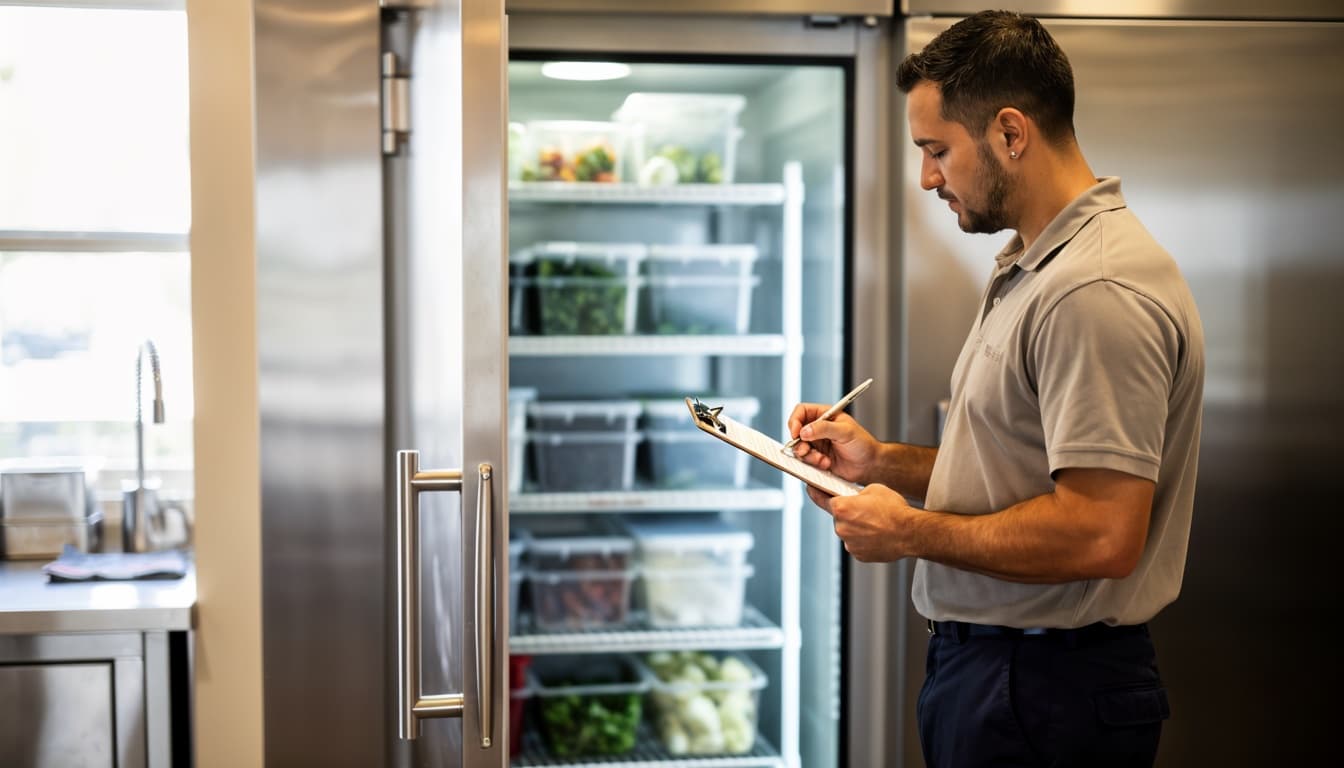
A walk-in cooler temperature log is more than a box to check at opening and closing. It gives a restaurant operator a simple record of how the equipment is behaving between service visits. In a Florida kitchen, where frequent door openings, warm deliveries, and high ambient humidity all add load, that record can help separate a one-time disturbance from a cooler that is gradually losing control.
This is equipment-operating guidance, not a substitute for your local health department’s rules, food-safety plan, or required recordkeeping. Your manager should follow the temperature limits, corrective actions, documentation process, and product-disposition requirements that apply to your operation. A/C Advantage can help you document equipment symptoms and repair a cooler; we do not determine regulatory compliance or whether food is safe to serve.
Build a log people can actually use
The best log is short enough that it gets completed on a busy shift and specific enough to be useful later. Assign the check to a role, set consistent check times, and keep the sheet or digital entry where it is easy to reach without leaving the cooler door open. An opening check, a mid-shift check, and a closing check are a workable starting point for many operations, but the frequency should match your own procedures and applicable requirements.
For each entry, record the date, time, the person making the check, and the temperature reading. Note whether the number came from a calibrated handheld thermometer, a built-in display, or both. Built-in displays are useful trend indicators, but a separate instrument check can reveal when the display and the actual cabinet condition do not agree. Follow your food-safety program for where and how you take the reading.
Leave a small notes column. A number without context can mislead. “Delivery just received,” “door propped during stocking,” “power interruption,” “heavy lunch rush,” or “ice visible at evaporator” tells the next manager and the service technician what was happening around the reading. Include any action taken under your established procedures and the time the condition returned to normal, if it did.
Watch the trend, not just a single number
A door opened repeatedly during a delivery can produce a temporary rise. A cooler that recovers normally after that traffic may not need an emergency call. What deserves attention is a repeatable pattern: the same higher reading every afternoon, a slower return to normal after restocking, or a display that drifts farther from the independent reading over several days.
Look at the direction of the log. Is the temperature stable from check to check? Does recovery take longer than it used to? Are the lowest readings getting warmer? A steady decline often gives you time to schedule a planned visit before product, service, and staffing are under pressure. The notes also help a technician avoid guessing. A record of warm periods, door activity, alarms, and frost is much more useful than “it has been acting up.”
Keep the log with maintenance information rather than treating it as an isolated kitchen form. If a technician cleans coils, repairs a door gasket, changes a control, or addresses a defrost issue, compare the log before and after the work. That is a practical way to confirm whether the symptom changed.
Monitor the conditions that create heat load
Temperature is the main result, but a few visual checks can explain why it changes. During normal operations, staff can watch for a door that does not close squarely, torn or loose gaskets, product stacked tightly against air paths, cartons blocking an evaporator area, or a loading pattern that keeps the door open longer than necessary. These are operational observations, not a request for staff to work on refrigeration components.
Pay attention to condensation, unusual frost, persistent water around the unit, a new noise, or a fan that sounds different. Do not remove panels, chip ice from coils, adjust controls beyond your approved operating procedure, or attempt a refrigerant repair. Those details belong in the log and in the service call. They may point to airflow, defrost, drain, control, fan, coil, or refrigerant-system concerns, but a proper diagnosis requires a qualified refrigeration professional.
Delivery routines also matter. Stage product so the door is open for the shortest practical time, avoid overpacking air paths, and make sure staff know who is responsible for closing and checking the door after a delivery. Small habits do not replace maintenance, but they reduce unnecessary load on equipment that is already working hard.
Know when logging becomes a service call
Call for refrigeration service when the cooler repeatedly fails to maintain the operating condition your food-safety program requires, does not recover after normal door traffic, shows a worsening trend, or has visible frost, water, unusual noise, or a damaged door seal. If the equipment condition may put product at risk, follow your operation’s food-safety response immediately: protect the product, limit door openings, and notify the right manager. Do not wait for the next scheduled check simply because the log has a blank row.
Before calling, have the log handy. Be ready to share the current reading, the time the issue began, recent readings, whether the door has been open for deliveries, whether there was a power interruption, and any visible symptoms. That information helps A/C Advantage prioritize the call and arrive prepared to inspect the right areas.
A log is not paperwork for paperwork’s sake. It is an early-warning tool that supports better operating decisions, cleaner handoffs between shifts, and a more efficient service visit. Pair it with routine preventive attention to the condenser, doors, drains, controls, and refrigeration system. For a broader operational plan, see our Commercial Refrigeration Uptime Guide and Commercial Refrigeration service.
If your temperature record shows a pattern instead of a one-off disruption, schedule a refrigeration assessment before that pattern becomes a lost-product problem. Contact A/C Advantage to discuss your walk-in cooler and the information your team is seeing.
About the author
Scott Camire, Owner of A/C Advantage Inc.
Scott Camire is the founder of A/C Advantage Inc. in Port St. Lucie, Florida. He began his career in HVAC and commercial refrigeration in 1978 and founded A/C Advantage in 2006, building the company on what he calls “old fashioned service with modern technology.” A/C Advantage is a Florida Certified Mechanical Contractor (License #CMC1249807) with EPA-certified technicians, serving homes and businesses across the Treasure Coast and the Palm Beaches, including Port St. Lucie, Stuart, Palm City, Jensen Beach, Fort Pierce, Vero Beach, Sebastian, and Tradition.
Need help with your system?
Call A/C Advantage at (772) 336-7366. A live person answers 24 hours a day, 365 days a year. Or schedule service online.